Features
Repair shop management software, feature by feature
Repairs helper covers the work of an independent repair shop: checking devices in, fixing them, quoting, billing, selling over the counter, keeping stock and keeping customers informed. Each page below explains how a feature works and what it needs before you rely on it.
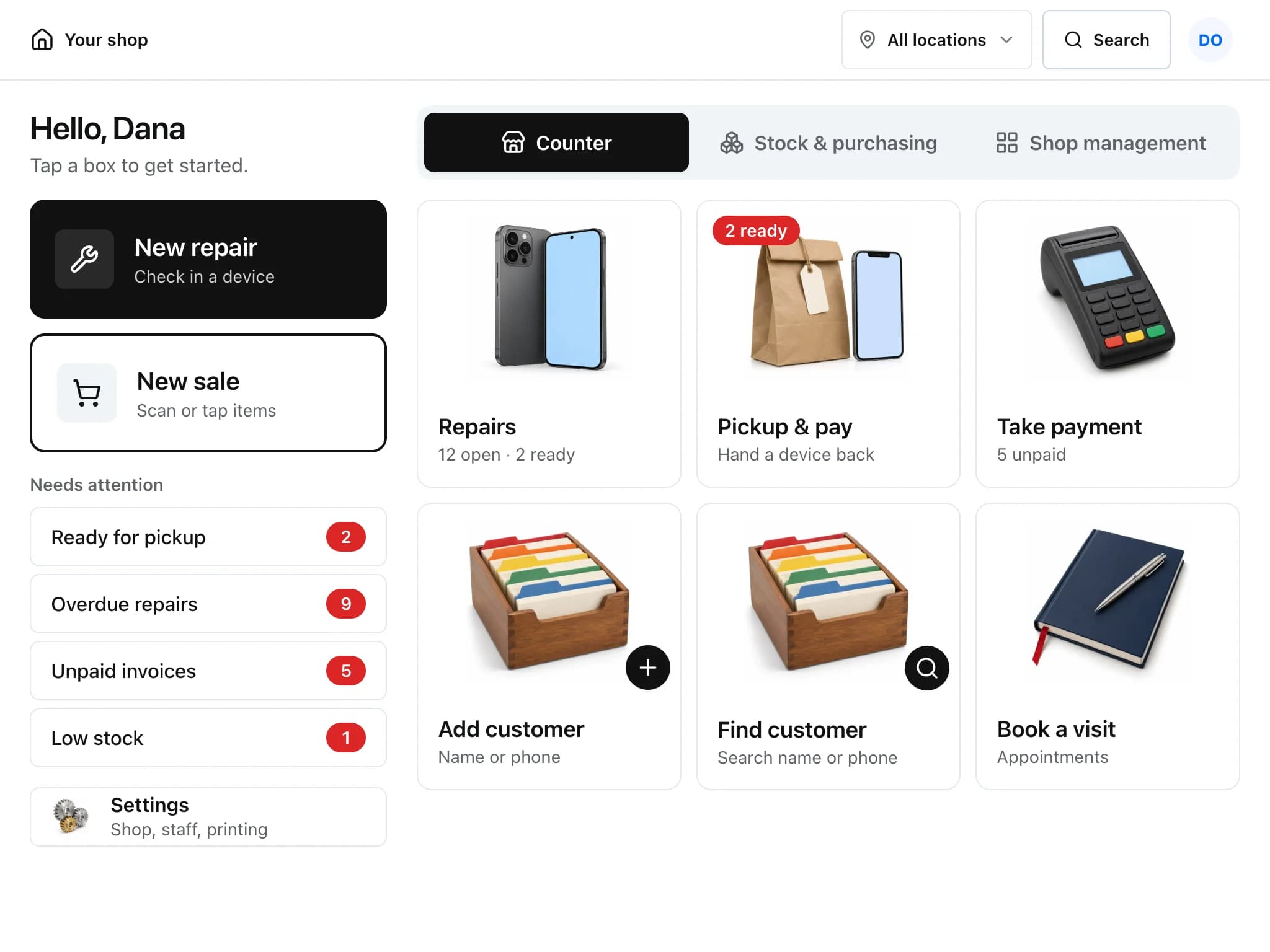
The main parts of the app
Repair tickets
Check devices in, track every repair through its status steps, and see which jobs are late.
Point of sale
Ring up accessories and repairs, take cash or card, and close the drawer against what the system expects.
Estimates and invoices
Quote a repair, get the customer's approval and signature online, then invoice and collect payment.
Inventory
Keep parts and accessories counted, track serial numbers, and order from vendors with purchase orders.
Customer portal and check-in
Let customers check in, follow their repair, approve estimates and pay without calling the shop.
AI assistant
Ask about repairs, stock and sales, summarise long tickets and draft customer replies, by typing or by voice.
Integrations and API
Sync with QuickBooks Online or Xero, take payments through Stripe or Square, and connect anything else through the REST API and webhooks.
Also included
- Appointments
- Book visits with a customer, a staff member and a location. Reminders go out in the 24 hours before when a sender is set up.
- Leads
- Website enquiries and the Book a visit and Get a price requests from your shop page arrive as leads with the device, the problem and contact details, ready to turn into a repair.
- Time clock
- Staff clock in and out, and owners can correct entries and export the hours for payroll.
- Reports
- Money in after refunds, how people paid, invoices written and paid, repairs in and out, time to fix, best-selling products and refunds, with CSV export.
- Roles and staff PINs
- Owner, technician and front-desk roles. Front desk handles intake, customers and billing without settings access. Six-digit PINs switch staff on a shared device.
- More than one location
- Open a second store and switch between locations, or view all of them together. Single-location shops never see the switcher.
- Easy mode and Full view
- Easy mode gives the counter big picture buttons. Full view adds dense tables for the back office. Both use the same records.
- Security
- Two-step sign-in with an authenticator app, recovery codes, and an audit log of sensitive changes.
By type of shop
Phone repair shops
For cell phone repair shops: fast check-in with IMEI and passcode, screen and battery stock, accessory sales, deposits on ordered parts and repair status.
Computer repair shops
For computer and laptop repair shops: diagnostic notes, bench time billed as labour, backup and test checklists, parts on order and recurring invoices.
Electronics repair shops
For shops that fix phones, laptops, consoles, TVs and more: your own device and problem boxes, estimates, parts on order, bench time and a workshop board.
Game console repair shops
For console and controller repair shops: check-in with serials and photos, parts on order, test checklists, warranty days and accessory sales on one bill.
Before you sign up
- PricingFree during early access, with no card required. What is included and what costs extra.
- Compared with other softwareRepairs helper next to other repair shop software, using each company's own published pricing and features.
- ContactQuestions before you sign up, support for your shop, privacy and security.
See it with your own repairs
Create your shop, check in a test device and run it through to pickup. It is free during early access.
Free during early access · No credit card