AI assistant
An AI assistant that knows your repair shop's records
The shop helper answers everyday questions from your own data (what is ready for pickup, which repairs are late, how today went) and takes you to the right screen. On a ticket, AI tools summarise long notes and draft a reply to the customer.
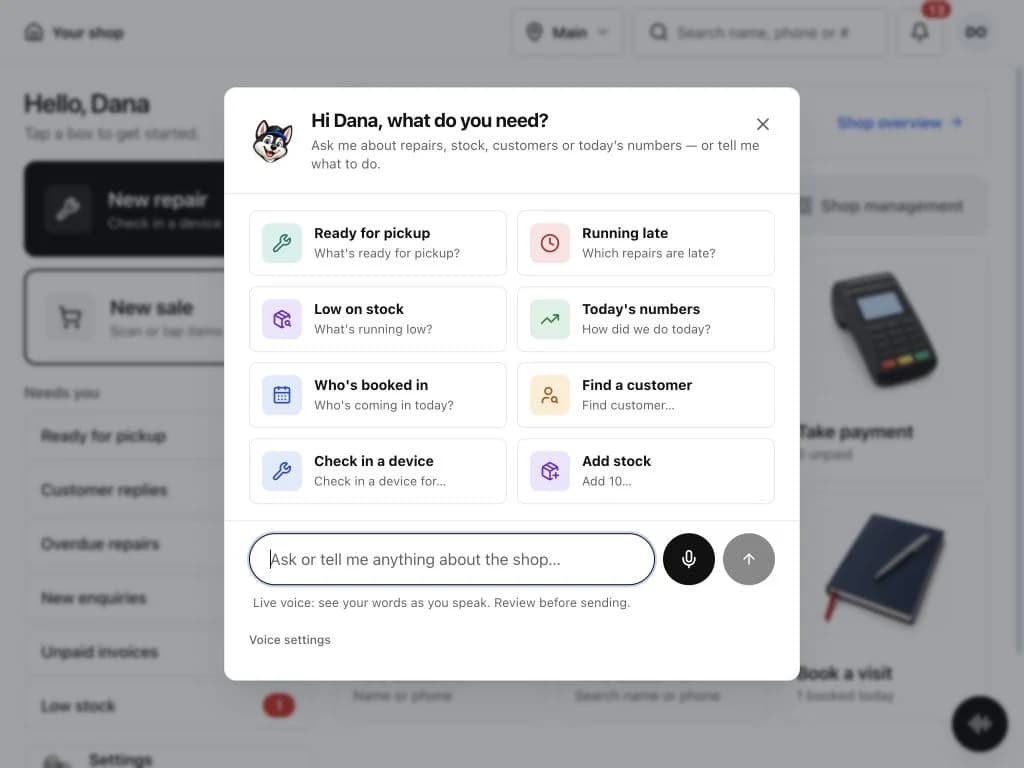
Where the AI helps during the day
Each tool works on the shop you are signed into and respects your role's permissions.
Ask the helper
Type or speak: “What's ready for pickup?”, “Which repairs are late?”, “How did we do today?”. It searches your repairs, customers, stock and sales.
Summarise a ticket
Long note threads become a short summary, useful when a repair changes hands or a customer calls.
Draft a reply
Get a draft customer message based on the ticket. You edit it and decide whether to send it.
Add stock by voice or photo
Say what arrived or photograph a part, and the assistant fills in the form for you to check.
How it is kept safe
- It cannot run arbitrary actions
- The model only picks from a fixed set of intents, such as search, add or remove a product. The server checks the request before anything happens.
- It asks before it changes things
- Changes need your confirmation, and removals are written to the audit log.
- Daily limits
- Each shop has daily limits on AI requests (400 text, 200 voice and 100 photo requests a day), which a normal counter does not come close to.
- Works without AI too
- If the AI service is off, every screen still works the normal way. AI is a shortcut, not the only way in.
AI assistant: common questions
Which AI models does it use?
The AI layer is provider-agnostic. It can run on Anthropic, OpenAI and several other hosted or self-hosted models, chosen by the service configuration.
Can the assistant change my data on its own?
No. It chooses from a fixed set of actions, the server validates them, and changes need your confirmation.
Does it send replies to customers automatically?
No. Reply drafts appear for you to edit. Nothing is sent until a person sends it.
Does voice work on every device?
Voice input depends on the browser and microphone access. Typing works everywhere.
Related features
- Repair ticketsCheck devices in, track every repair through its status steps, and see which jobs are late.
- InventoryKeep parts and accessories counted, track serial numbers, and order from vendors with purchase orders.
- Customer portal and check-inLet customers check in, follow their repair, approve estimates and pay without calling the shop.
Try it on your own counter
Create a shop, add a test repair and see whether it fits how you work. It is free during early access.
Free during early access · No credit card