Computer repair shops
Software for computer and laptop repair shops
Computer repairs take longer and involve more back-and-forth than a phone screen: a diagnosis, a quote, a wait for parts, a data backup, hours on the bench. Repairs helper keeps that whole trail on one ticket, and bills the time you spent on it.
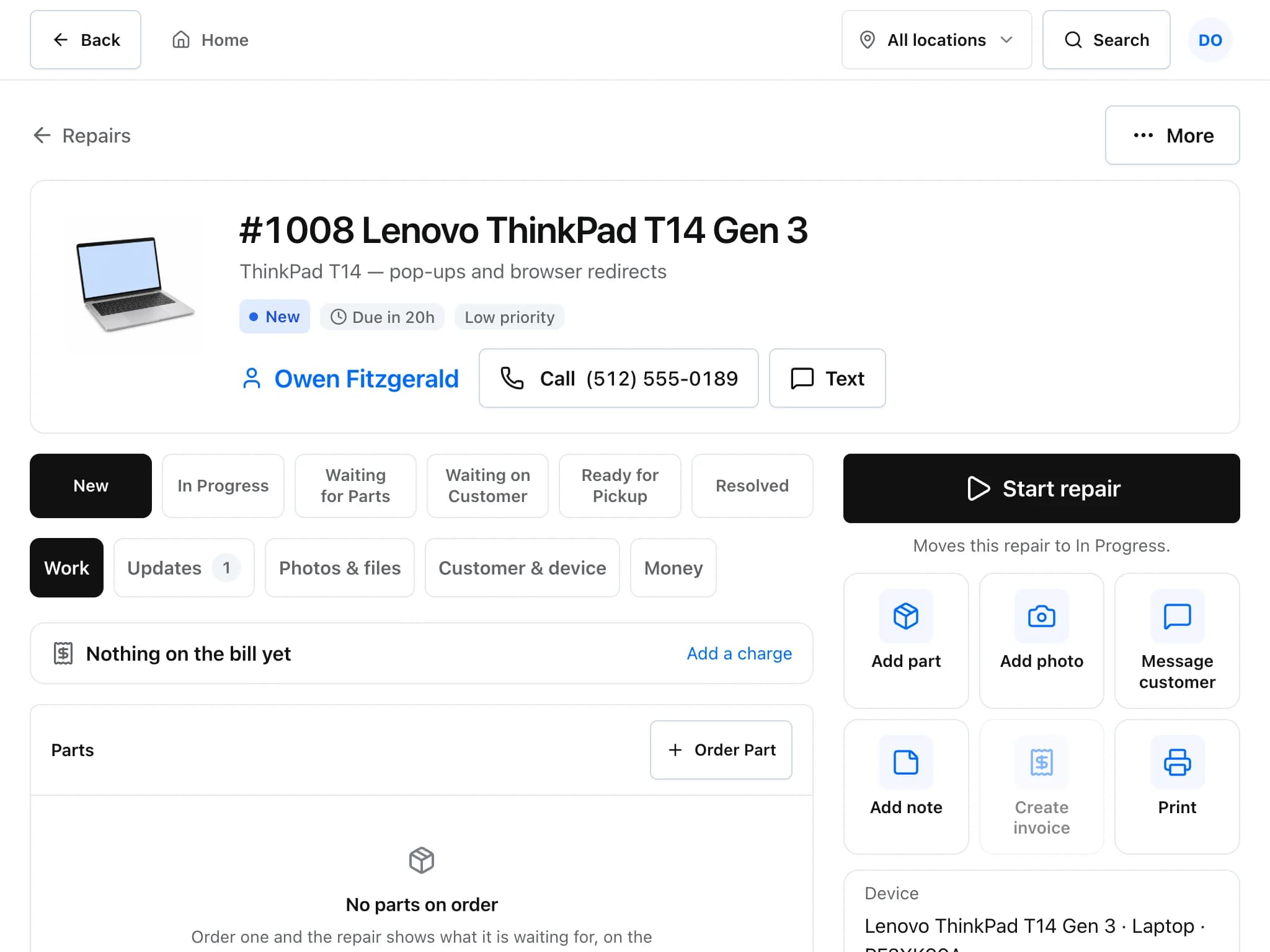
A laptop repair, the way it runs in Repairs helper
A typical diagnose-quote-repair job, with the customer kept in the loop.
Check the laptop in
Pick Laptop or Computer, note the fault, record make, model, serial and the login password if the customer wants you to test in Windows or macOS.
Diagnose and log the time
Write diagnostic notes on the ticket and log bench time. Billable time is kept until you invoice it.
Quote and wait for the yes
Send an estimate. The customer approves with an optional signature from a private link, and the ticket moves on without a phone call.
Order parts and follow a checklist
Order the SSD or battery from the ticket. Attach a checklist template, for example a backup and post-repair test routine, and tick it off as you go.
Invoice parts and labour
Raise the invoice from the ticket. Logged time becomes labour lines at your rate and any deposit is applied.
Details that matter in a computer shop
- Customer devices on file
- Each customer's machines are saved with make, model and serial, so a repeat visit starts from the device record.
- Service plans and regular work
- Recurring invoices bill a business customer on a schedule, for example a monthly maintenance plan.
- Purchase orders for parts
- Order from vendors with purchase orders, receive deliveries in part or in full, and track serialised parts such as drives or graphics cards.
- Connect your other tools
- Push invoices and payments to QuickBooks Online or Xero, and connect other systems through the REST API and webhooks.
Common questions
Can I bill for my time on a repair?
Yes. Technicians log time on the ticket. When you invoice from the ticket, billable time becomes labour lines at your labour rate.
Can I keep a checklist for data backups and testing?
Yes. Save checklist templates and attach one to any ticket. Each item records when it was ticked.
Can I invoice business clients monthly?
Yes. Recurring invoices bill a customer on a schedule you set.
Is there an API?
Yes. A REST API with per-shop keys covers tickets, customers, estimates, invoices, payments, products, appointments and leads, and webhooks notify your systems when things change.
Read more about the features
- Repair ticketsCheck devices in, track every repair through its status steps, and see which jobs are late.
- Estimates and invoicesQuote a repair, get the customer's approval and signature online, then invoice and collect payment.
- PricingFree during early access, with no card required. What is included and what costs extra.
Set it up for your shop
Add your device types, problem list and products, then check in your next repair. Free during early access.
Free during early access · No credit card