Electronics repair shops
Software for electronics repair shops
An electronics repair shop sees a bit of everything: a phone with a dead charging port, a laptop that will not boot, a console that overheats, a TV with no picture. Repairs helper puts every one of them on the same kind of ticket, so the counter and the bench follow one routine whatever the device.
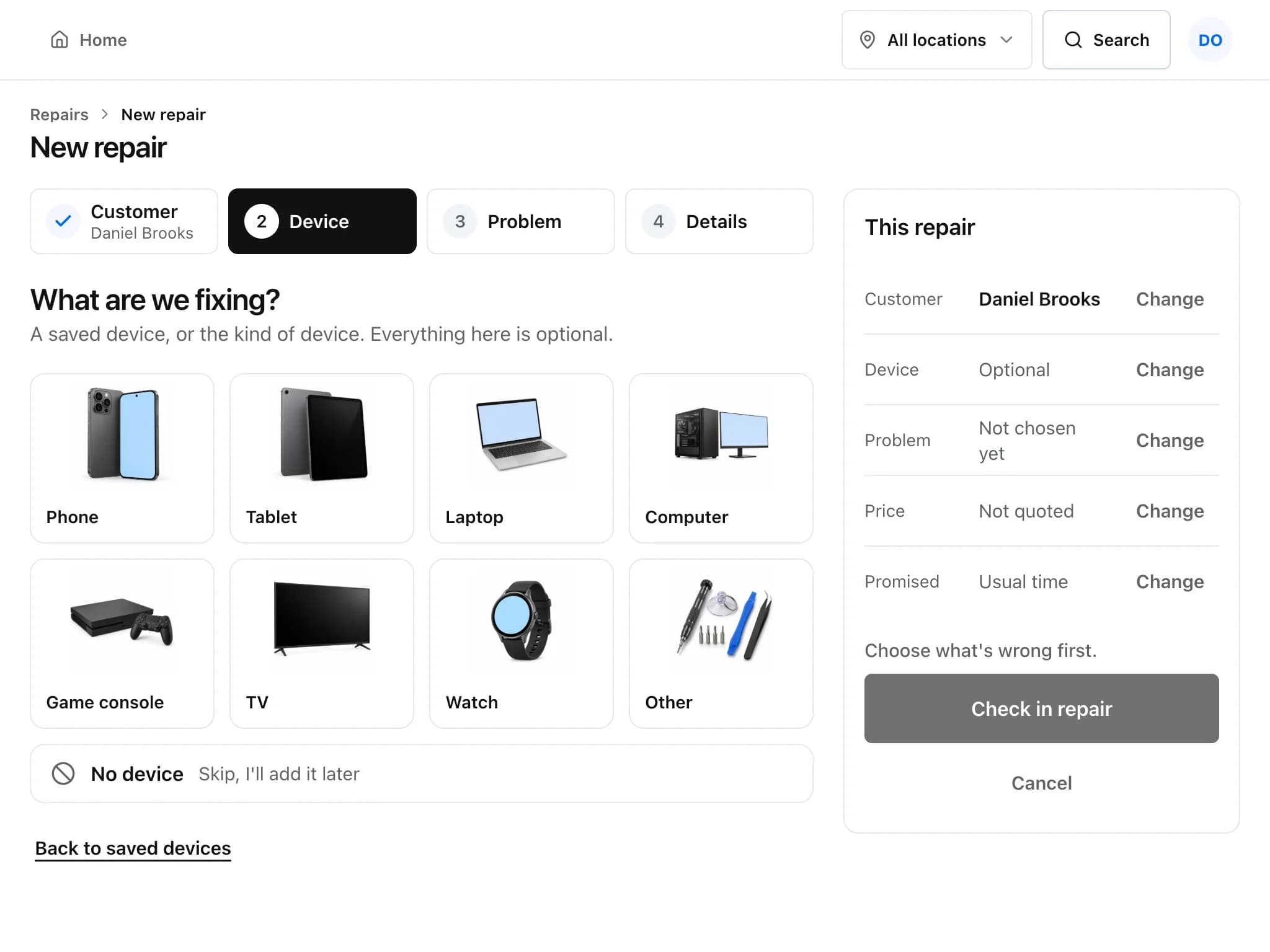
A mixed-device repair, the way it runs in Repairs helper
The same steps work for a phone, a laptop or a TV, so new staff learn one way of working.
Check any device in
Tap the device box and pick the problem. If you fix things the list does not show, owners can rename, hide or add device boxes and problem types in settings.
Record what came in
Save make, model and serial on the customer's device record, add photos of its condition, and let the customer sign the intake on screen.
Diagnose and quote
Write your findings on the ticket and send an estimate. The customer approves or declines from a private link, with an optional signature.
Order parts and do the work
Order the part from the ticket with supplier, cost and expected date, log bench time, and tick off a test checklist before the device goes back.
Invoice and hand over
Invoice from the ticket: logged time becomes labour lines and any deposit is applied. Take payment and hand the device over.
Details that matter when you fix many kinds of device
- Status steps you can edit
- Built-in steps run from New to Resolved, including Waiting for Parts and Waiting on Customer. Owners can add their own steps.
- A board for the workshop
- The shop-floor board shows every open repair as a large tile grouped by status and refreshes itself every 30 seconds. Leave it running on a wall TV.
- Due times by priority
- Urgent, high, normal and low each have a target in hours (4, 24, 72 and 120 by default). Late repairs are flagged on the ticket and counted on Home.
- Parts, accessories and refurbished units
- One stock list with low-stock levels, vendors and purchase orders, and serial numbers for the items where each unit matters.
Common questions
Can I add device types that are not in the list?
Yes. Owners can rename, hide or add device boxes and problem types in settings, and the counter check-in uses your list.
Can I show the repair queue on a TV in the workshop?
Yes. The shop-floor board shows every open repair as a large tile grouped by status and refreshes itself every 30 seconds.
Can I charge for diagnosis or bench time?
Yes. Add a diagnostic charge as a line on the estimate or invoice, or log time on the ticket: billable time becomes labour lines at your labour rate when you invoice.
Does it work for more than one store?
Yes. Open another location and switch between them, or view all locations together. Single-location shops never see the switcher.
Read more about the features
- Repair ticketsCheck devices in, track every repair through its status steps, and see which jobs are late.
- Estimates and invoicesQuote a repair, get the customer's approval and signature online, then invoice and collect payment.
- PricingFree during early access, with no card required. What is included and what costs extra.
Set it up for your shop
Add your device types, problem list and products, then check in your next repair. Free during early access.
Free during early access · No credit card