From check-in to checkout
Repair shop software for check-in, the bench and pickup
Log the device and the fault while the customer is at the counter. Track parts, photos and notes on the bench, then take payment when they collect. It runs in the browser on the phone, tablet or computer you already have.
Free during early access. No credit card needed.
Who runs Repairs helper
- Built in Edmonton, AlbertaMade by Town Media Labs in Canada.
- Hosted in Alberta, CanadaThe app and its database run on our own server, behind Cloudflare.
- Your records leave with youExport customers, invoices, payments and reports to CSV.
- Email support[email protected]
The five screens your counter uses all day
Repair management, point of sale and inventory in one connected workspace. Check in a device, find the right part and collect the balance, with your team working from the same records.
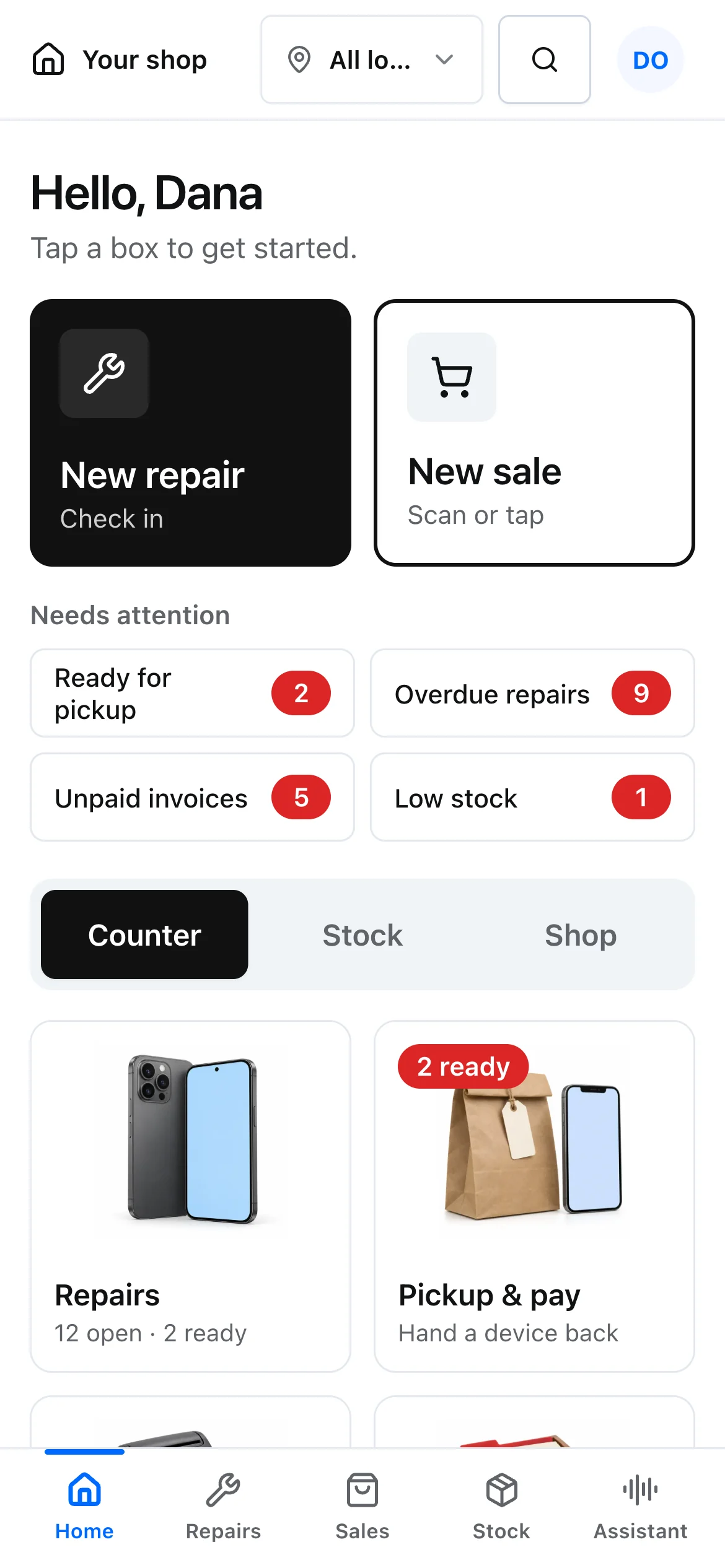
New repair and New sale on the first screen
Your everyday tools are ready as soon as you sign in. Start a repair or sale, arrange a pickup and see what needs your attention.
- New repair and new sale up front
- Pickup, payments and customer tools
- Counter is Home in both display modes
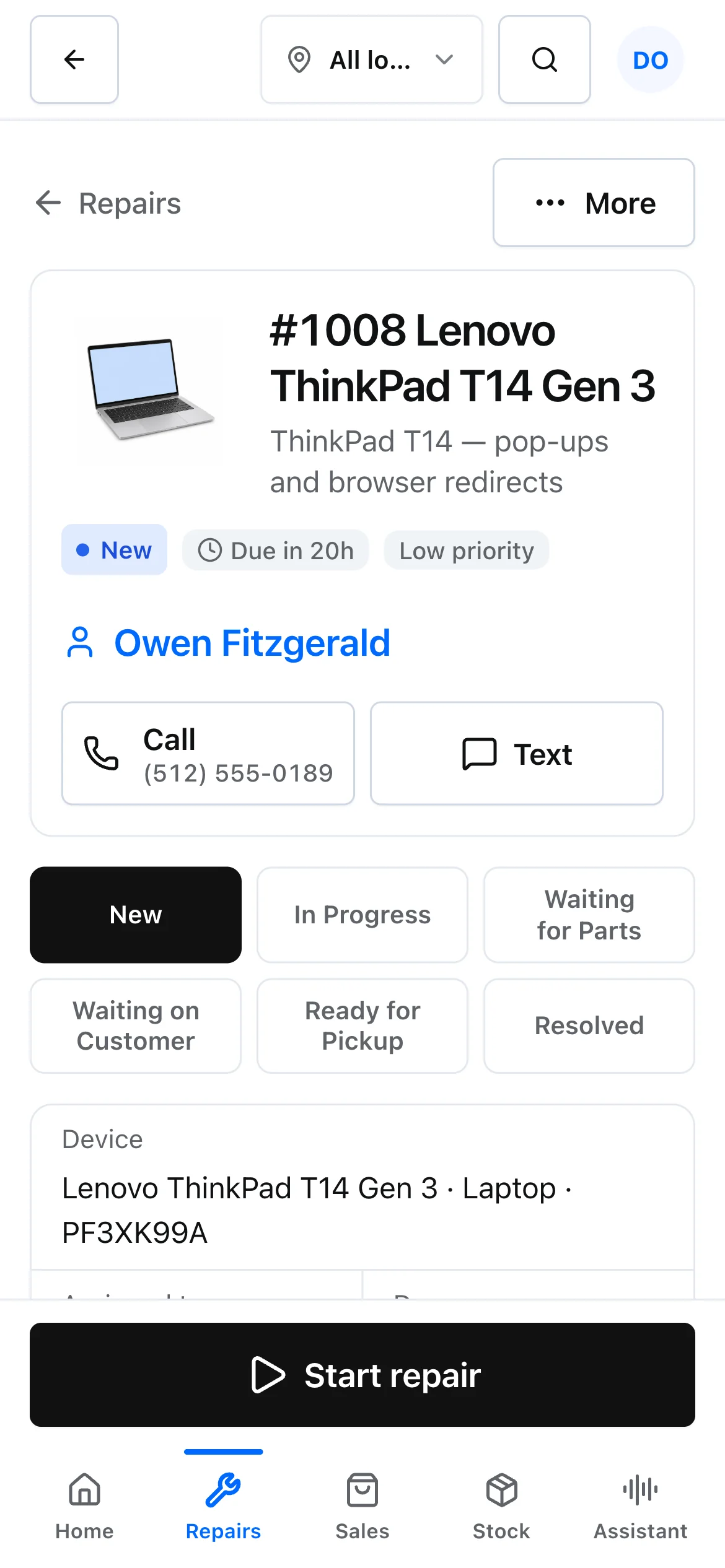
One ticket holds the device, parts, photos and notes
Check in the device, record the problem and keep the work moving. Your team gets the same notes, parts and status in one repair record.
- Guided device check-in
- Parts, photos and repair notes
- Ready-for-pickup tracking
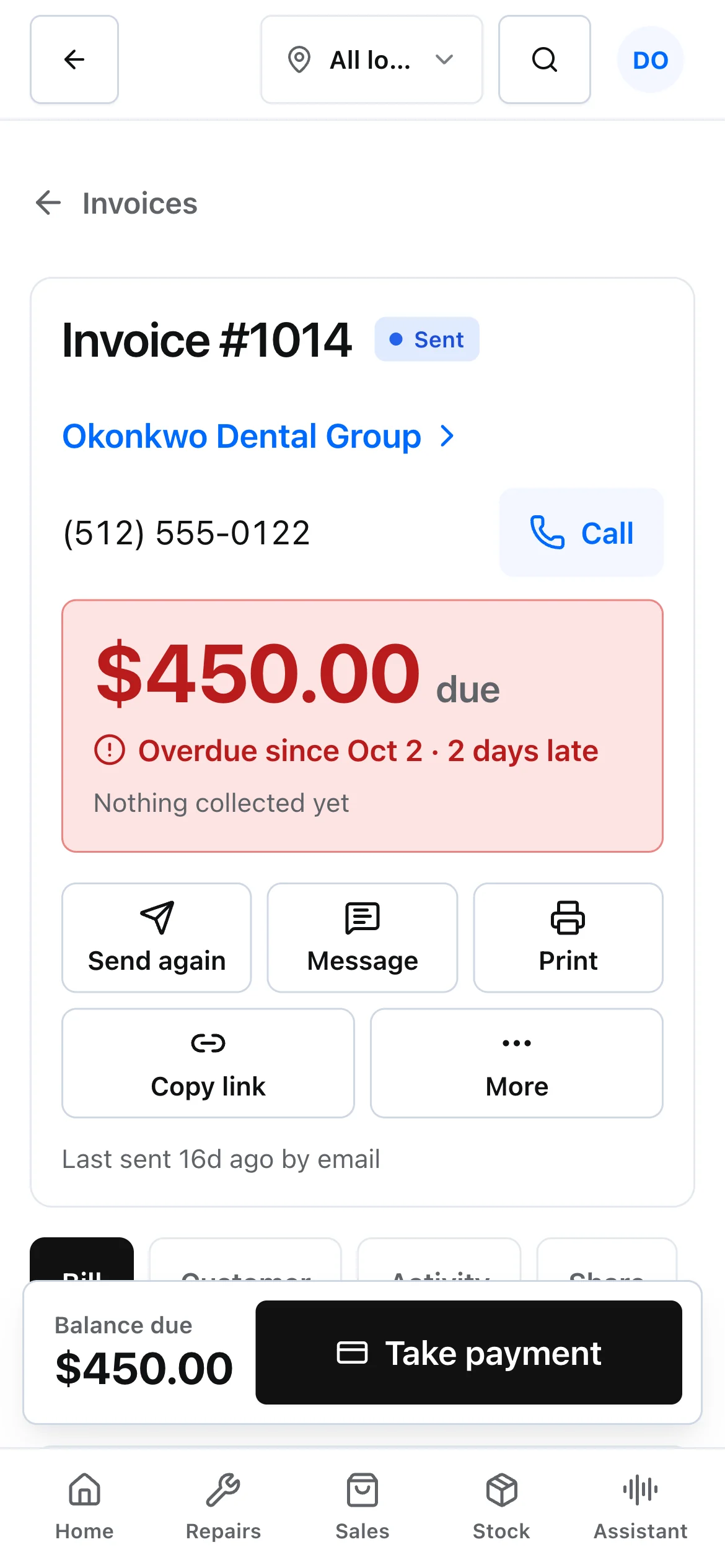
Sell a case and collect a repair balance on one screen
Sell an accessory, create an invoice or collect a repair balance. Keep each payment connected to the customer and the job.
- Picture-first product selection
- Cash, deposits and split payments
- Manual or connected card payments
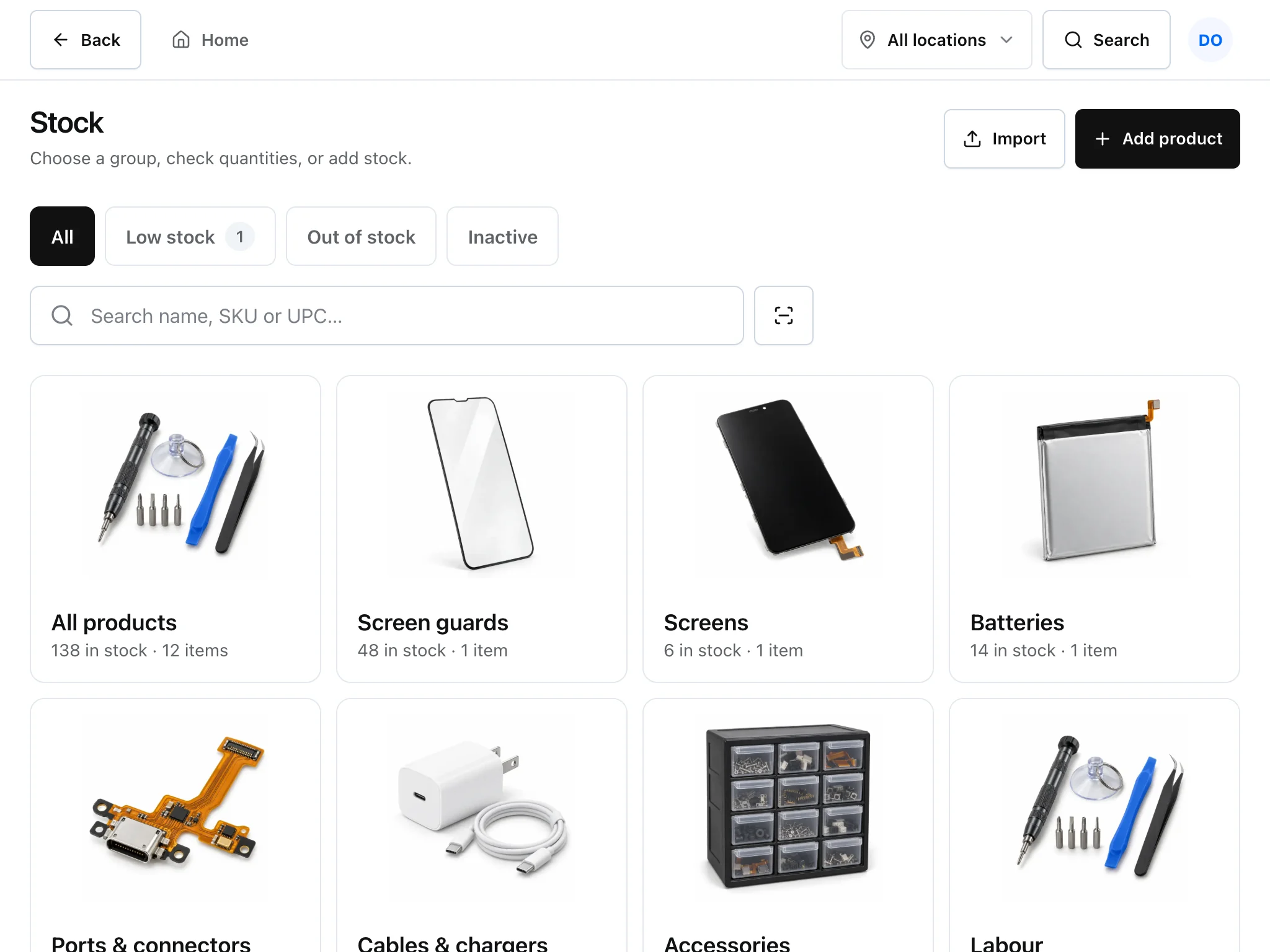
Stock counts with a picture for every part
Find the right part without losing your place. Product pictures, quantities and purchasing live alongside the repairs that need them.
- Parts and accessories with pictures
- Stock quantities and purchasing
- Spreadsheet and CSV product imports
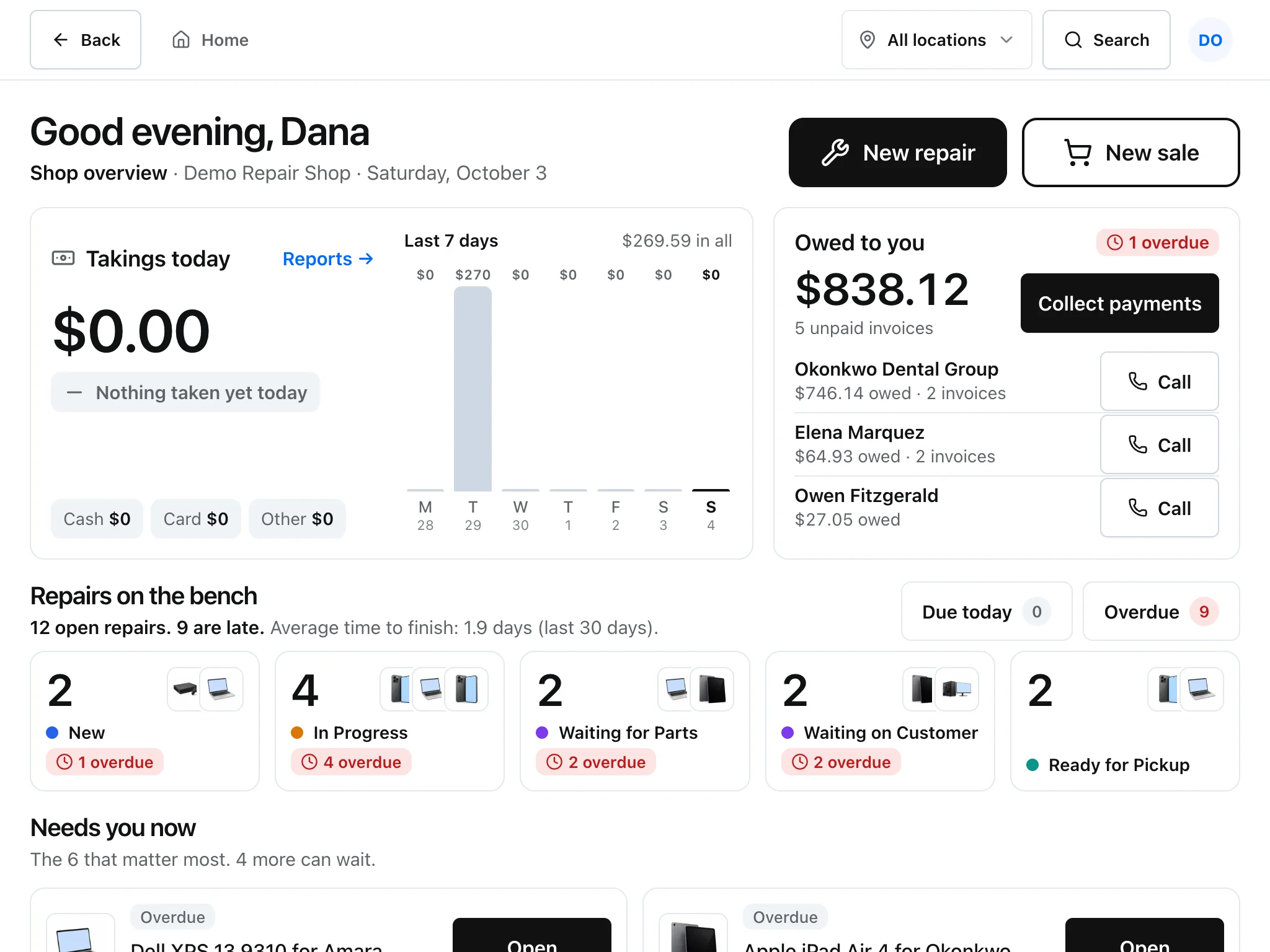
Takings, money owed and the bench, at a glance
Get a clear view of takings, money owed and work on the bench. Move from the overview into the records behind it.
- Takings and balances at a glance
- Repair status across the bench
- Easy mode and detailed Full view
Bookings, staff PINs, printing and imports are in there too
From the first enquiry to the final invoice, keep the small tasks that make a repair shop run in the same workspace.
- Appointments & enquiries
- Book visits, manage website leads and keep the next customer’s request ready for the counter.
- Customer repair portal
- Give customers a place to check their repair and review shared updates, estimates and invoices.
- Staff access & PINs
- Keep owner, technician and front-desk permissions clear. Set up staff PINs for quick switching on shared devices.
- Printing & shop branding
- Add your shop logo and print repair documents, invoices and labels for the way your counter works.
- Imports & exports
- Bring in customers and products from spreadsheets or CSV. Export customer, invoice and payment data when you need it.
- AI tools & your helper
- Summarise ticket notes, draft customer replies and ask your helper about repairs, stock and today’s numbers.
Drop-off and pickup, recorded on the same ticket
Record the details once. Customers can check the repair in the portal while it moves from the counter to the bench and back.
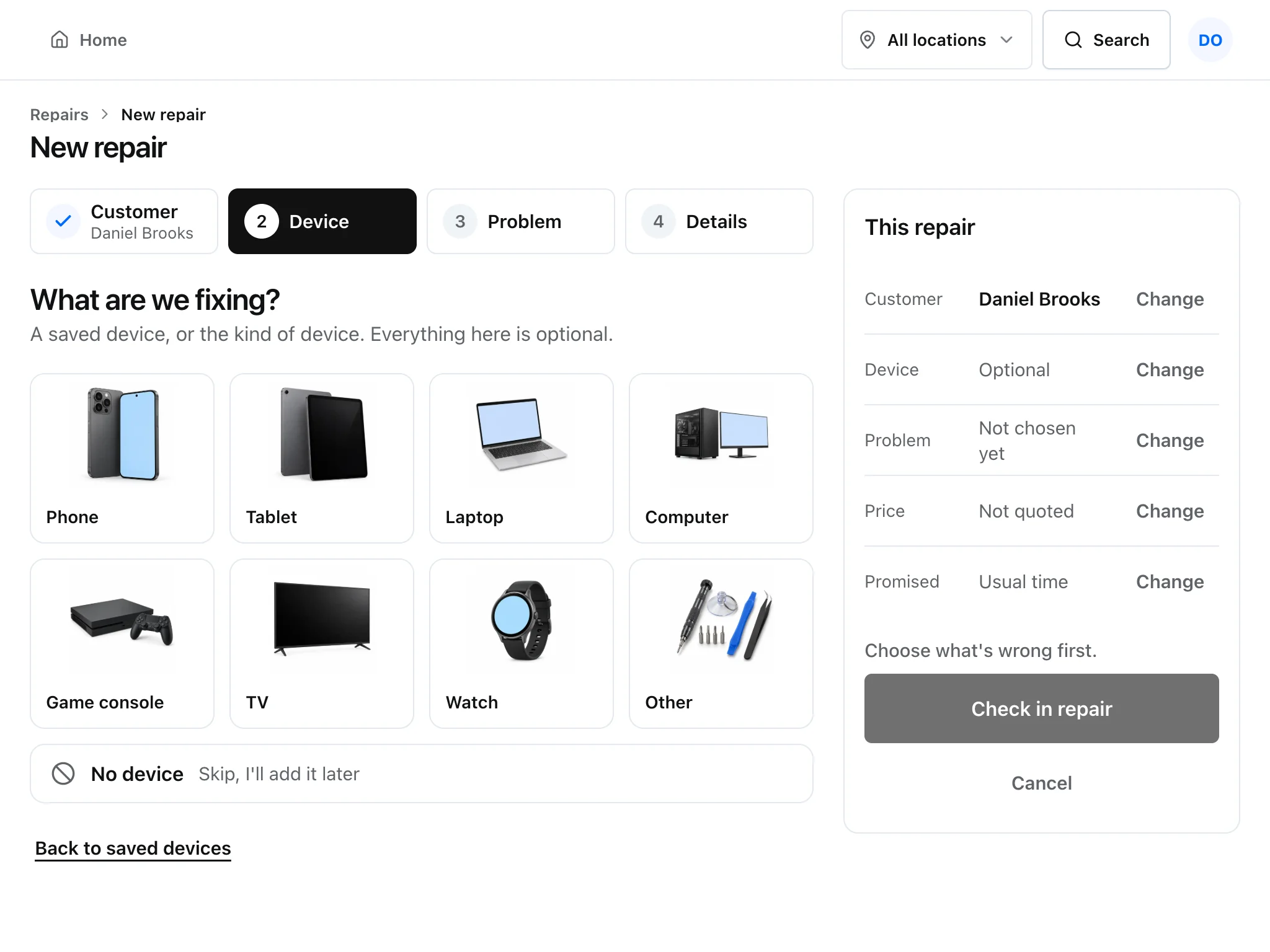
At drop-off: check the device in
Pick the device type and note the fault while the customer is still at the counter, then print the repair ticket.
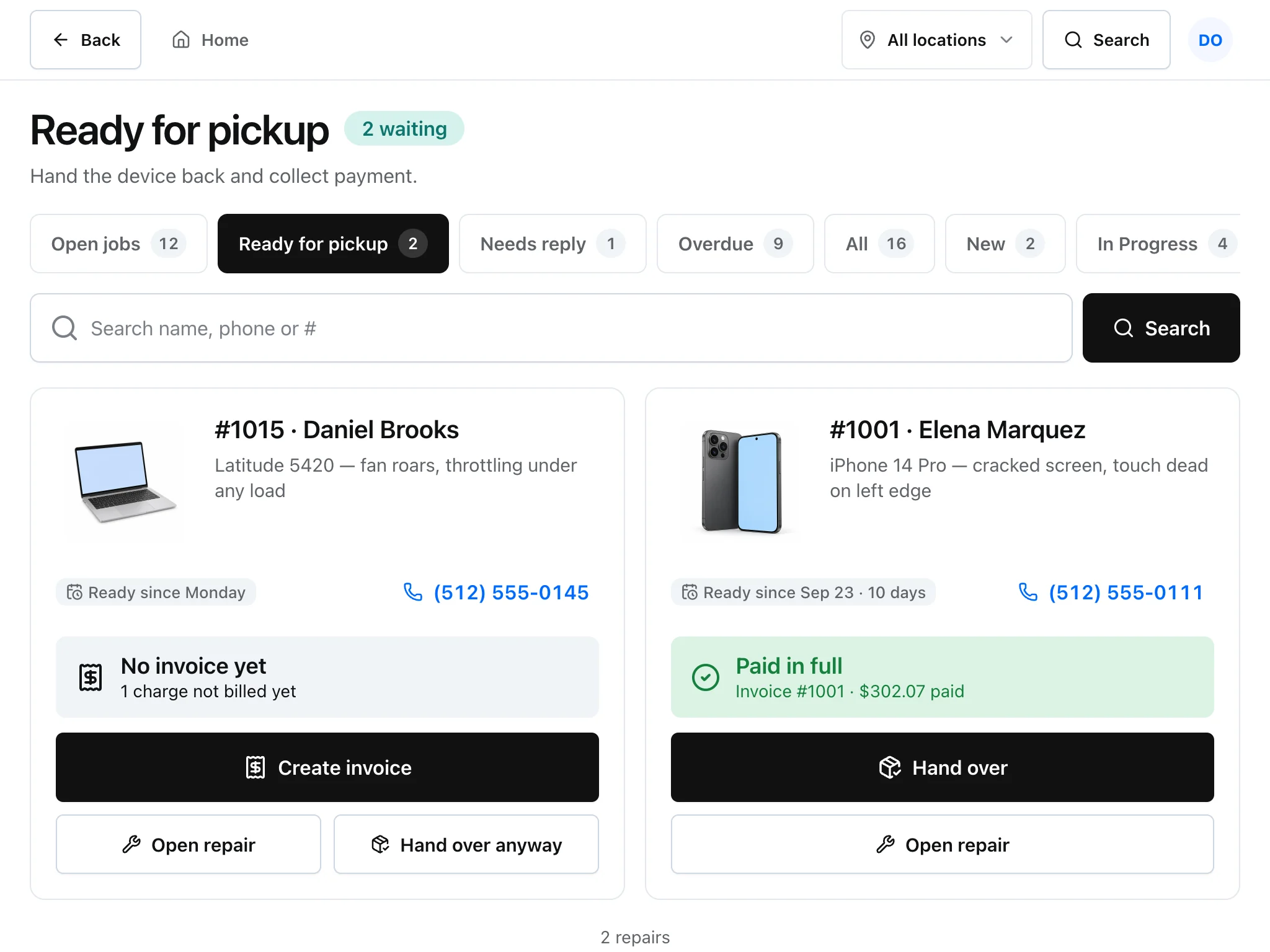
At pickup: see what’s paid and hand it over
Ready-for-pickup lists which repairs still need an invoice and which are paid in full, so the balance is collected before the device goes back.
Actual app · Demo shop data
Use it on the counter tablet or your phone
The same shop opens on a phone, a counter tablet or a desktop computer. Start a repair at the counter and check on it from the bench.
- Easy mode: big touch buttons for everyday counter tasks.
- Full view: detailed tables for records and back-office work.
- Runs in the browser. Add it to your home screen on supported devices.
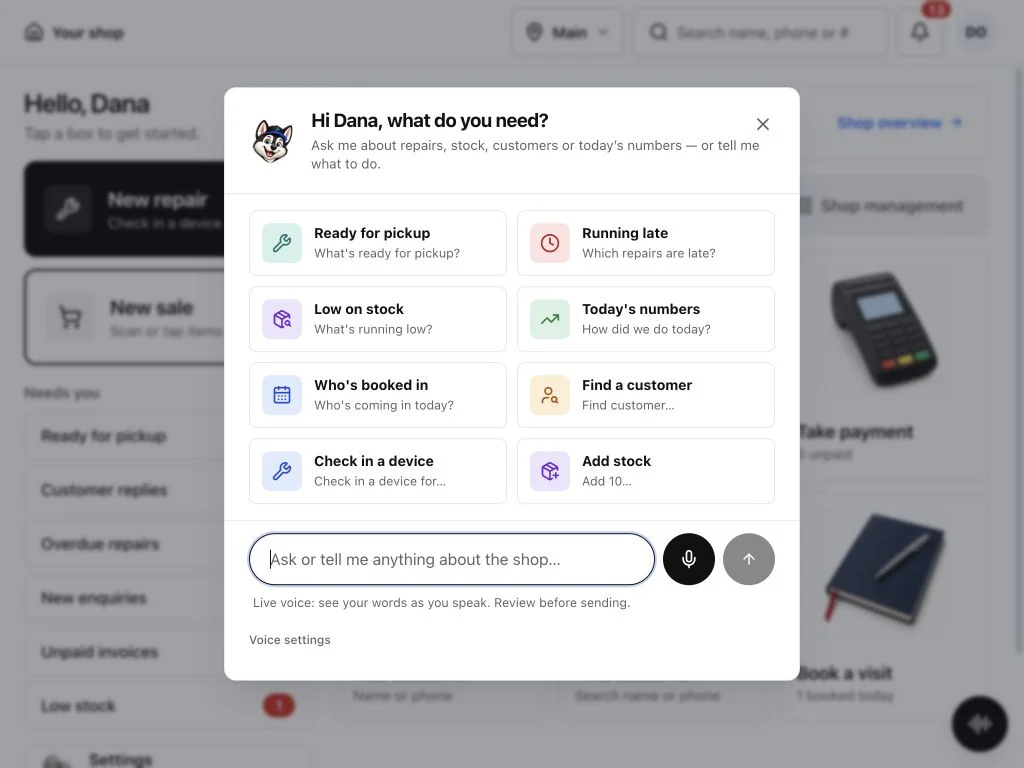
Ask the helper what’s ready for pickup
Type or say a question and the helper looks it up in your shop: which repairs are late, what’s waiting to be collected, how the day is going. On a ticket, AI tools can summarise long notes and draft a reply to the customer.
“What’s ready for pickup?”
“Which repairs are late?”
“How did we do today?”
Integration · Splitforms
Website repair enquiries land in Leads
Connect a Splitforms form on your website and each enquiry arrives in Repairs helper with the customer’s contact details, the device and the problem.
Free during early access
Bring your team, customers and stock into one workspace at no cost during early access. Paid plans will come later, and we’ll announce them well before anything changes. You can export your records to CSV the whole time.
Early access
Open now$0per shop, per month
- Easy mode counter, Sell screen and step-by-step repair check-in
- Your whole team, with owner, tech and front-desk roles
- Customer portal and shop display
- Spreadsheet and CSV import for customers and products
- CSV exports for customers, invoices and payments
- No feature tiers and no per-seat charges during early access
No credit card. Nothing in Repairs helper asks for one.
Before you rely on these workflows
- One-click migration with repair history from another system is not available; customers and products can be imported from a spreadsheet or CSV.
- Stripe and Square connections need your own account, provider credentials and test verification before they go live.
- Email and SMS need a provider set up for your shop before real messages are delivered.
- Connected providers (AI, SMS, card processing) may charge their own usage fees.
Questions owners ask first
Short, honest answers, including the “not yet” ones.
Something else? [email protected]
What needs setup before I rely on it?
Repairs, sales, stock and quick shop lookups work as soon as your shop exists. A few things connect to outside providers first. Free-form helper requests and AI ticket tools need a connected AI provider, and voice input depends on your browser and shop setup. Stripe and Square need your own account, provider credentials and test verification before they take payments; until then, record card-machine payments manually. Customer emails and texts go out once your email or SMS provider is set up. Splitforms website forms need a paid Splitforms plan for webhooks. Adding the app to a home screen depends on your device. Connected providers may charge their own fees.
Where is my shop’s data kept?
On our own server in Alberta, Canada, behind Cloudflare. Repairs helper is built by Town Media Labs in Edmonton, Alberta. Questions about your data go to [email protected].
Do I need new hardware?
No. Repairs helper runs in the browser on the tablet, phone or computer you already have. Take card payments on a supported connected terminal, or record payments from the card machine you already own.
Can I switch between Easy mode and Full view?
Yes. Easy mode gives you big picture boxes for the counter, with New repair and New sale always one tap away. Full view adds dense tables for detailed work. Both views start at Counter, with Shop overview a tap away. Both use the same records, and every tool stays reachable from Home under More tools.
What can the AI assistant do?
Your shop helper finds repairs, customers, stock and daily sales information, and helps with supported everyday commands. AI tools on repair tickets can summarise notes and draft customer replies. Type a request or use voice input. It asks you to confirm changes and respects shop permissions. Free-form requests need a connected AI provider, and voice depends on your browser and your shop’s setup.
Do I need a credit card to start?
No. There is no billing anywhere in the product right now. Signing up creates your shop and your owner account, and you can start right away.
Can customers pay online?
Stripe and Square payment connections are implemented, but they must be configured and tested before activation. Until a provider is connected, record counter payments as cash, card, cheque or store credit.
Will my existing card machine update the invoice automatically?
Only if it is a compatible terminal connected through a supported payment provider. Stripe Terminal and Square Terminal are supported; a generic bank terminal will not report its payment to Repairs helper by itself, so you record that payment manually. Confirm your provider and reader model before relying on automatic settlement.
Do the emails and text messages actually go out?
The messaging workflows are built, but email and SMS providers must be set up for your shop before real messages leave. Check password recovery, portal links and customer updates after you connect a sender.
Can I bring my customers and stock with me?
Yes. Import customers and products from a spreadsheet or CSV, review the preview, then save. There is no one-click migration of repair history from another system yet.
Where do website enquiries go?
Into Leads. Connect a Splitforms form on your website to collect the device, the problem and the customer’s contact details. Create the connection on the Leads page in Repairs helper and add its webhook URL to your Splitforms form. Splitforms webhooks require a paid plan.
Is my data mine?
Your shop’s records belong to you. Owners can export customers, invoices, payments and report data to CSV. A complete archive of every record is not available yet. Repairs helper does not sell your shop records.

Start with your next repair
Bring your repairs, sales and customers together. Create your shop and get ready for your next customer.
Free during early access · No card needed