Phone repair shops
Software for phone repair shops
A phone repair counter runs on short jobs and a lot of walk-ins: a cracked screen at ten, a battery at eleven, a charger and a glass guard in between. Repairs helper is built around that pace, on the tablet or phone you already have behind the counter.
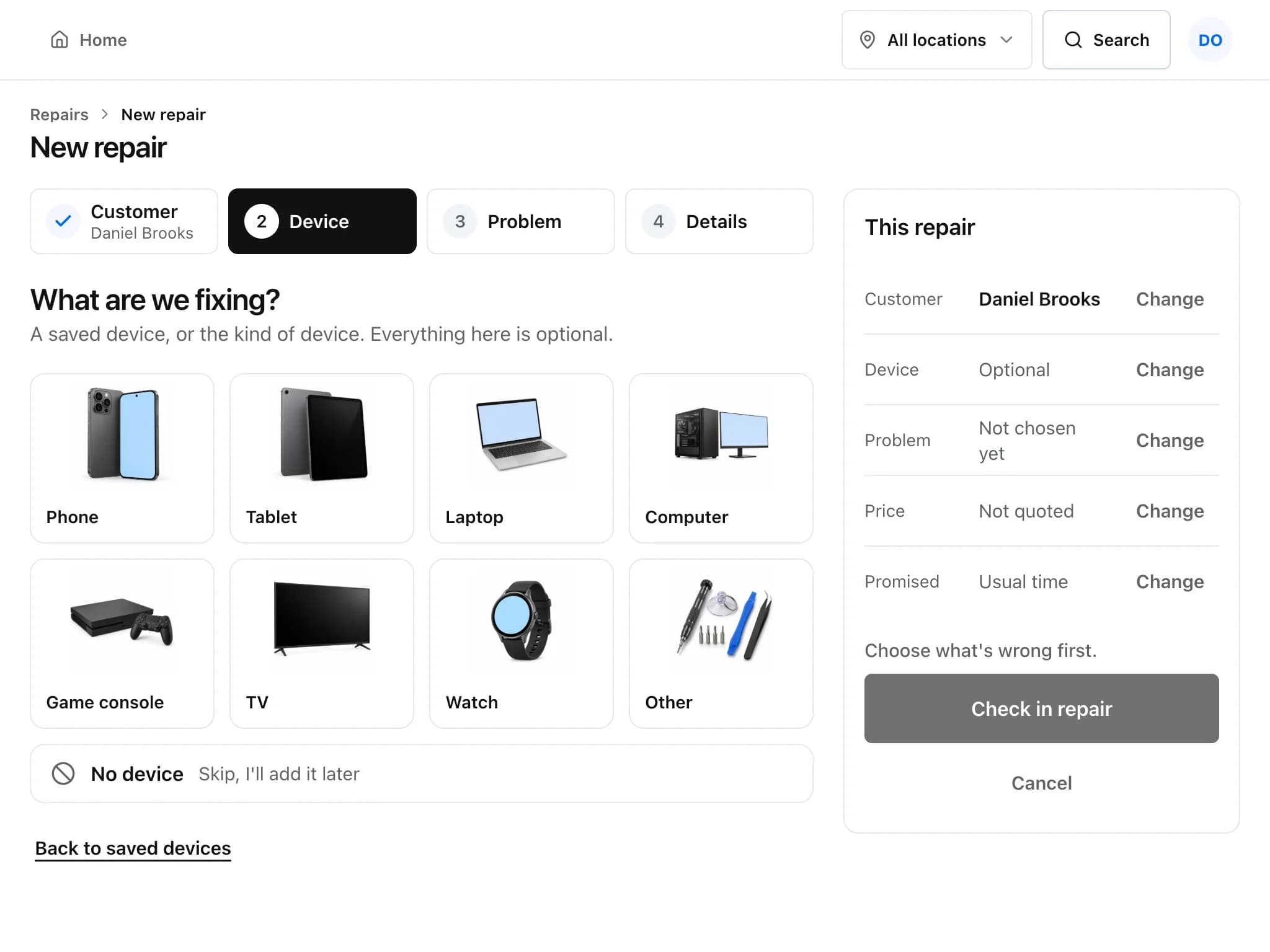
A phone repair, the way it runs in Repairs helper
These are the screens a front desk and a technician use for a typical screen replacement.
Check the phone in
Tap Phone, pick the problem (cracked screen, battery, charging port or one of your own), and record make, model, IMEI or serial and the unlock code. Only what you need is required.
Take a deposit if the part is on order
Take money up front and give the customer a printed deposit receipt. The deposit is applied when you invoice the repair.
Order the screen from the ticket
Order the part with supplier, cost and expected date. The ticket shows Waiting for Parts, so the desk can answer “when?” without asking the bench.
Fix, test and tell the customer
Tick off your post-repair checklist, mark it Ready for Pickup and send an update by text or email if a sender is set up.
Sell the glass guard at pickup
Add a screen protector or case to the same bill from the Sell screen, take payment and hand the phone over.
Details that matter in a phone shop
- Urgent jobs stay visible
- Set priority on each repair. Urgent repairs have a 4-hour target by default and late ones are flagged on Home.
- Parts with serial numbers
- Track refurbished handsets or batteries by serial number, so you know exactly which unit went to which customer.
- Warranty on screens and batteries
- Put warranty days on a part or repair product. The cover is copied onto the invoice line and counted from the invoice date.
- Customers who check for themselves
- Customers can look up their repair from your shop page, approve an estimate if a second fault turns up, and pay online when Stripe or Square is connected.
Common questions
Do I need to enter the IMEI and passcode for every phone?
No. Both are optional. When you do enter them, they are saved on the customer's device record, so a returning phone is already on file.
Can I sell accessories and repairs on the same bill?
Yes. Products and repair charges can sit on the same invoice or sale, and stock is updated for the products.
Will it work on my phone behind the counter?
Yes. Repairs helper runs in the browser on phones, tablets and computers, and can be added to the home screen. Easy mode uses large buttons for counter work.
Can I bring my existing customer list?
Yes. Import customers and products from a spreadsheet or CSV. Repair history from another system cannot be migrated in one step yet.
Read more about the features
- Repair ticketsCheck devices in, track every repair through its status steps, and see which jobs are late.
- Point of saleRing up accessories and repairs, take cash or card, and close the drawer against what the system expects.
- PricingFree during early access, with no card required. What is included and what costs extra.
Set it up for your shop
Add your device types, problem list and products, then check in your next repair. Free during early access.
Free during early access · No credit card