Point of sale
A point of sale for the repair counter
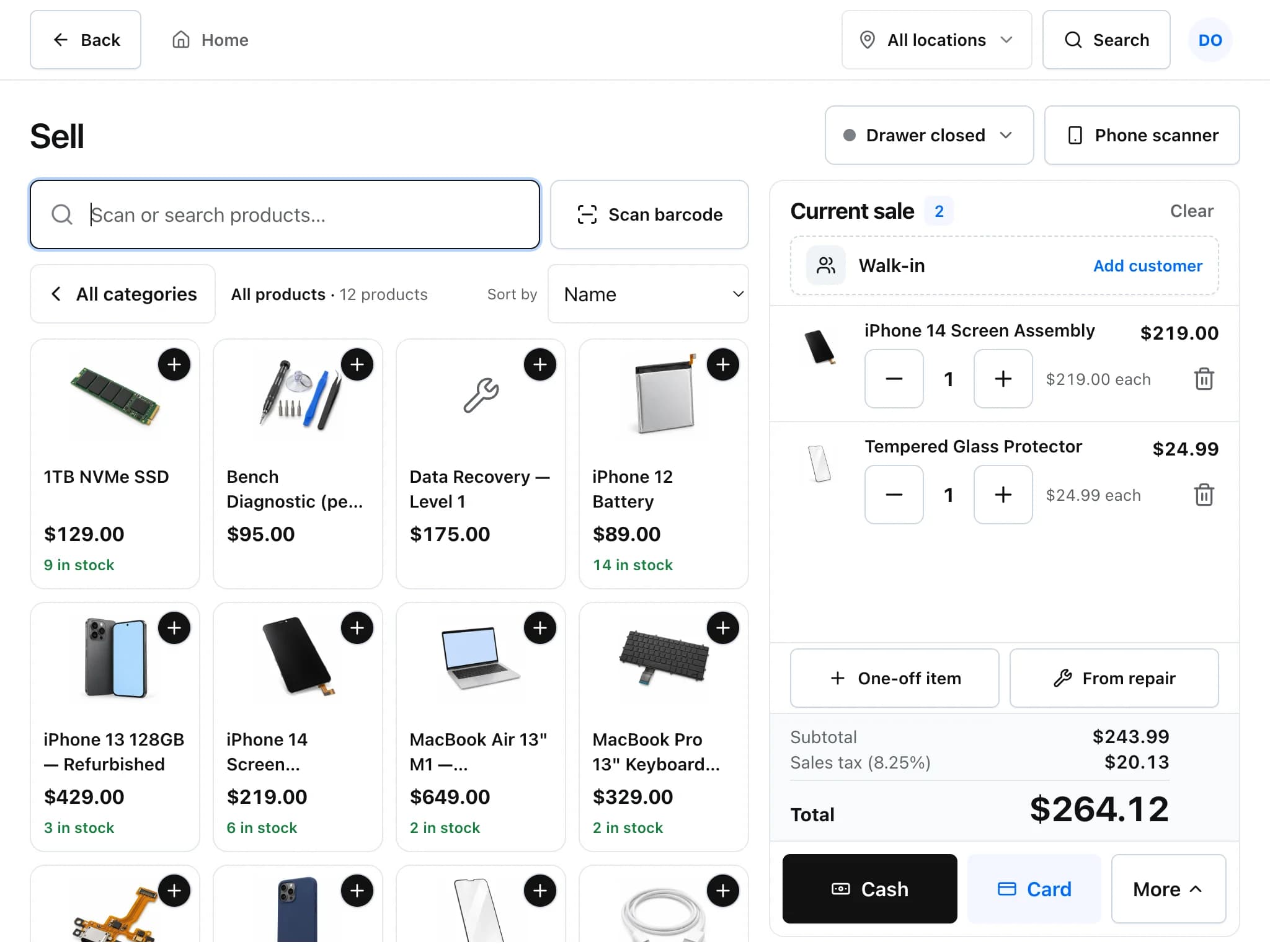
The Sell screen is a till for the things a repair shop sells over the counter: screen protectors, cables, chargers, cases and the repairs themselves. It shares stock and customers with the rest of the app, so a sale here updates inventory and the customer's history.
A sale, start to finish
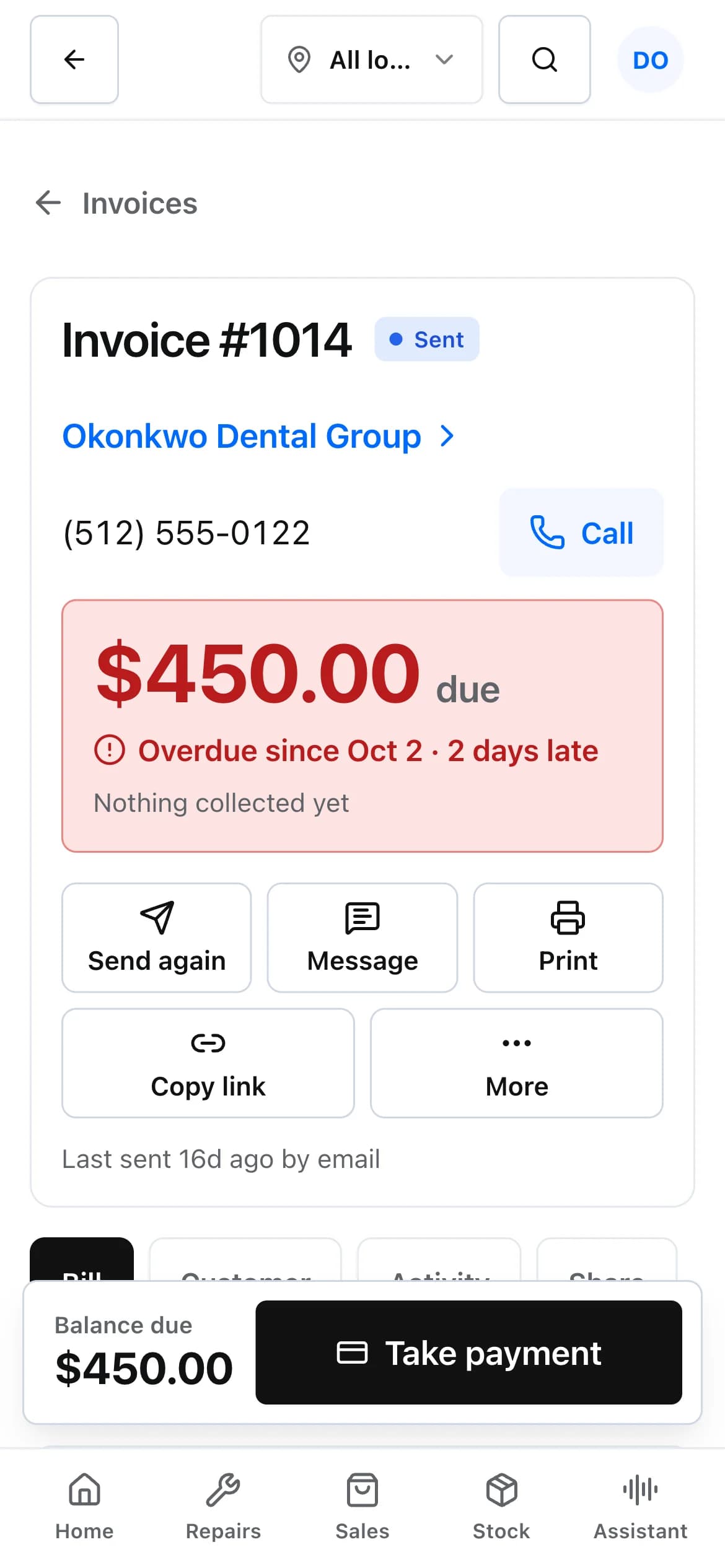
Most counter sales take a few taps. The same payment options appear when a customer pays for a repair invoice.
Add items
Tap product pictures, search, or scan a barcode with a USB scanner or a paired phone camera.
Attach a customer if you want one
Walk-in sales do not need a customer. Attach one to put the sale on their history or use their store credit.
Take payment
Cash, card, cheque, store credit or other. A sale can be split between cash and card.
Print or send the receipt
Print a receipt from the browser, or email it when a sender is set up.
Money at the counter
- Two ways to use a card machine
- Connected mode sends the amount to a Stripe Terminal or Square Terminal reader and marks the sale paid when the card is approved. Manual mode works with any standalone bank terminal: you key the amount there and record the payment here with one tap.
- Cash drawer sessions
- Open a drawer with a float. At close, the app works out what should be there (float, cash payments and cash deposits, less cash refunds) and records what was counted.
- Deposits
- Take money up front on a repair. The deposit is held as the customer's store credit with a printed receipt and is applied to the invoice when the repair is billed.
- Refunds and store credit
- Refund part or all of a payment. Give store credit, and spend it later at the till or against an invoice.
- Card on file
- With Stripe connected, a customer's card can be saved on Stripe's hosted page and charged later. Only the brand, last four digits and expiry are kept in Repairs helper.
- Serial numbers at the till
- Products tracked by serial number ask which unit you sold, so the right serial leaves stock.
Point of sale: common questions
Which card readers work with the POS?
Readers used through Stripe Terminal or Square Terminal can receive the amount from Repairs helper and mark the sale paid. Any other card machine works in manual mode: the cashier enters the amount on the machine and records the payment in the app.
Do I need a barcode scanner?
No. A USB scanner works anywhere in the app, and you can also pair a phone as a scanner by scanning a QR code on the till screen. Searching and tapping product pictures works without either.
Can I sell from more than one device?
Yes. Staff can sell from any signed-in phone, tablet or computer, and cash drawer sessions are recorded per location.
Can customers pay part now and part later?
Yes. An invoice can be partly paid and shows the balance owing until it is settled.
Related features
- Estimates and invoicesQuote a repair, get the customer's approval and signature online, then invoice and collect payment.
- InventoryKeep parts and accessories counted, track serial numbers, and order from vendors with purchase orders.
- Integrations and APISync with QuickBooks Online or Xero, take payments through Stripe or Square, and connect anything else through the REST API and webhooks.
Try it on your own counter
Create a shop, add a test repair and see whether it fits how you work. It is free during early access.
Free during early access · No credit card