Inventory
Inventory for parts, accessories and serialised stock
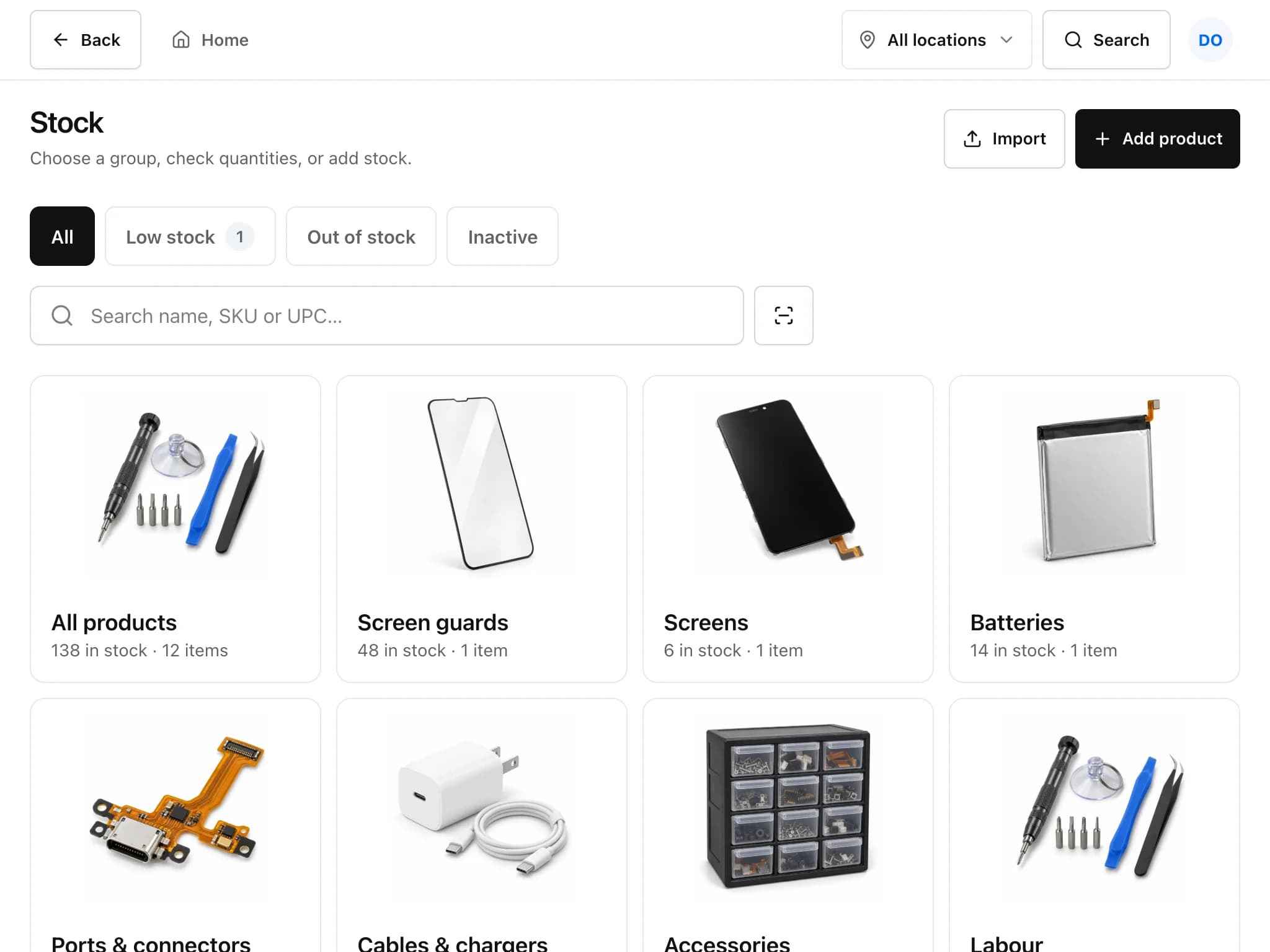
Screens, batteries, cables and refurbished handsets all live in one stock list. Every sale, repair and delivery changes the count, and each change is recorded as an adjustment you can look back on.
Restocking without the spreadsheet
Purchase orders and parts ordered for repairs share the same vendor list, so you can see what is coming and who it is for.
Set a low-stock level
Give a product a reorder threshold and a reorder quantity. Products that fall to the threshold are flagged.
Raise a purchase order
Pick a vendor, add lines with their SKU and cost, and print the purchase order.
Receive the delivery
Receive the order in full or in part. Stock goes up, and serialised products ask for each unit's serial number.
Use it on a repair or sell it
Parts added to a ticket or sold at the till leave stock automatically.
What the stock list handles
- Serial numbers
- Turn on serial tracking for items where each unit matters, such as refurbished phones or batteries under warranty. The count is the number of serials in stock, and each unit can be sold, returned or marked defective.
- Barcodes and labels
- Store SKU and UPC, scan with a USB scanner or a paired phone, and print barcode labels for your shelves.
- Product pictures
- Products get a picture from a built-in library chosen from the name, or you can upload your own photo. The pictures make the Sell screen faster to read.
- Import from a spreadsheet
- Bring products in from a CSV or spreadsheet. You review a preview before anything is saved; when AI is available it suggests which column is which.
- Add by photo
- Take a photo of a part and the AI suggests a name and category for Quick Add. Nothing is saved until you press Add, and the photo is not kept.
- Stock history
- Every change to a count (sale, repair, delivery, manual correction) is saved as a stock adjustment with a reason.
Inventory: common questions
Can I track individual serial numbers?
Yes. Mark a product as serialised and each unit becomes its own record. Stock on hand is the count of serials in stock, and the till asks which unit was sold.
Can I import my existing product list?
Yes, from a CSV or spreadsheet. You see a preview and confirm before anything is saved.
Does it warn me when stock is low?
Yes, for any product with a low-stock level set. Leave the level empty to turn the alert off for that product.
Can I order a part for a specific repair?
Yes. Order the part from the ticket with supplier, cost and expected date. The ticket shows the part is on order, and the order can be added to a purchase order.
Related features
- Point of saleRing up accessories and repairs, take cash or card, and close the drawer against what the system expects.
- Repair ticketsCheck devices in, track every repair through its status steps, and see which jobs are late.
- Integrations and APISync with QuickBooks Online or Xero, take payments through Stripe or Square, and connect anything else through the REST API and webhooks.
Try it on your own counter
Create a shop, add a test repair and see whether it fits how you work. It is free during early access.
Free during early access · No credit card